Observations
Show the per-residue IMGT-based observations across projects.
This tool is useful to evaluate past experiences to aid lead selection and optimization engineering. For example, if a potential deamidation site has been seen several times in the past, and has been shown experimentally to deamidate and degrade target binding, then it is reasonable to suspect that this site will also deamidate and degrade target binding in the current project. Note that observations are user-specific and are not shared across users.
Observations are a great example to Be Inherently Lazy. Rather than looking through past data to find per-residue experiences, let the tool track them for you.
Accessing the Tool
From the Project View. Go to the Analysis menu and select Observations. This will open the Observations workspace in a new tab.
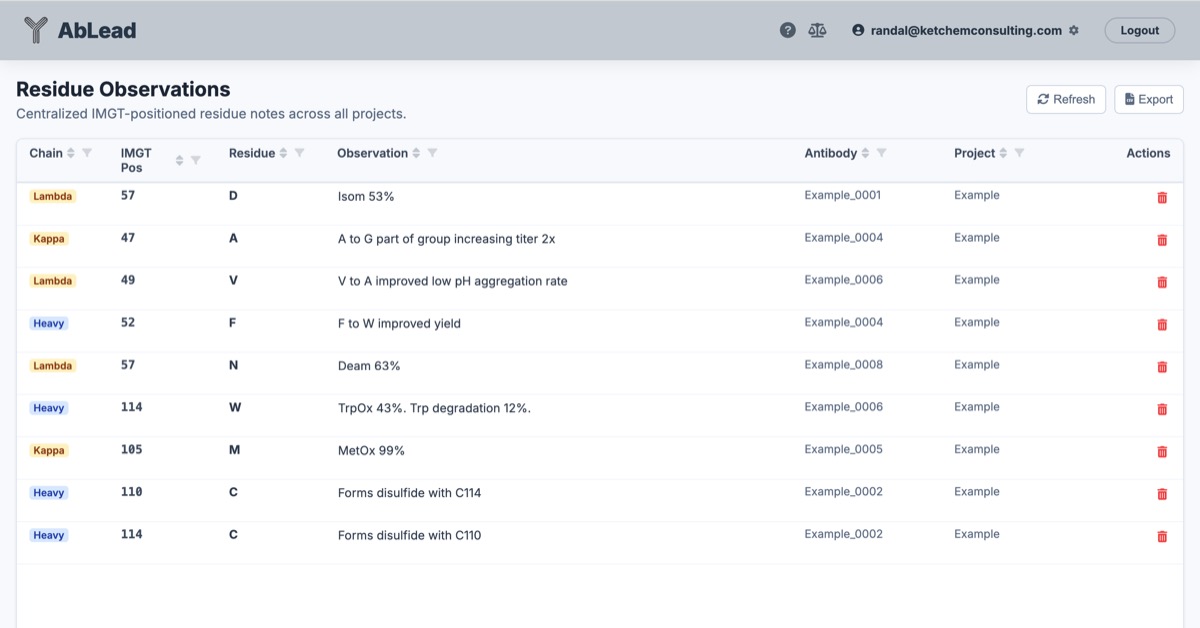
Using the Tool
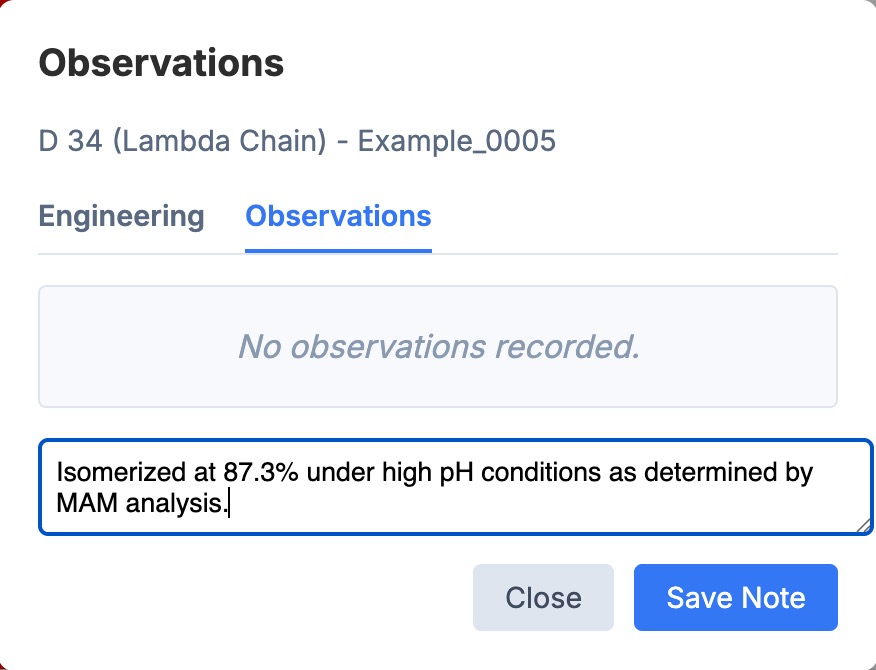
- Adding Observations: Any tool that allows for adding a mutation design, such as Liabilities, PFA, or Engineering, has a tab to add observations.
- Search: Search the list across attributes. The chain may be set for focus.
- List: The list of observations showing chain type, IMGT position, the observed residue, the observation text, the entry name on which the observation was entered, and the Project name in which that entry was found.
- Edit: An observation may be edited by clicking in the Observation field.
- Export: Export the grid as CSV for outside evaluation.
- Import: Import observations from a CSV file. The CSV file must contain the following columns: Chain, Position, Residue, Observation, Antibody, Project. Antibody and Project may be listed as 'Unknown' or left blank.