Mutation Grid
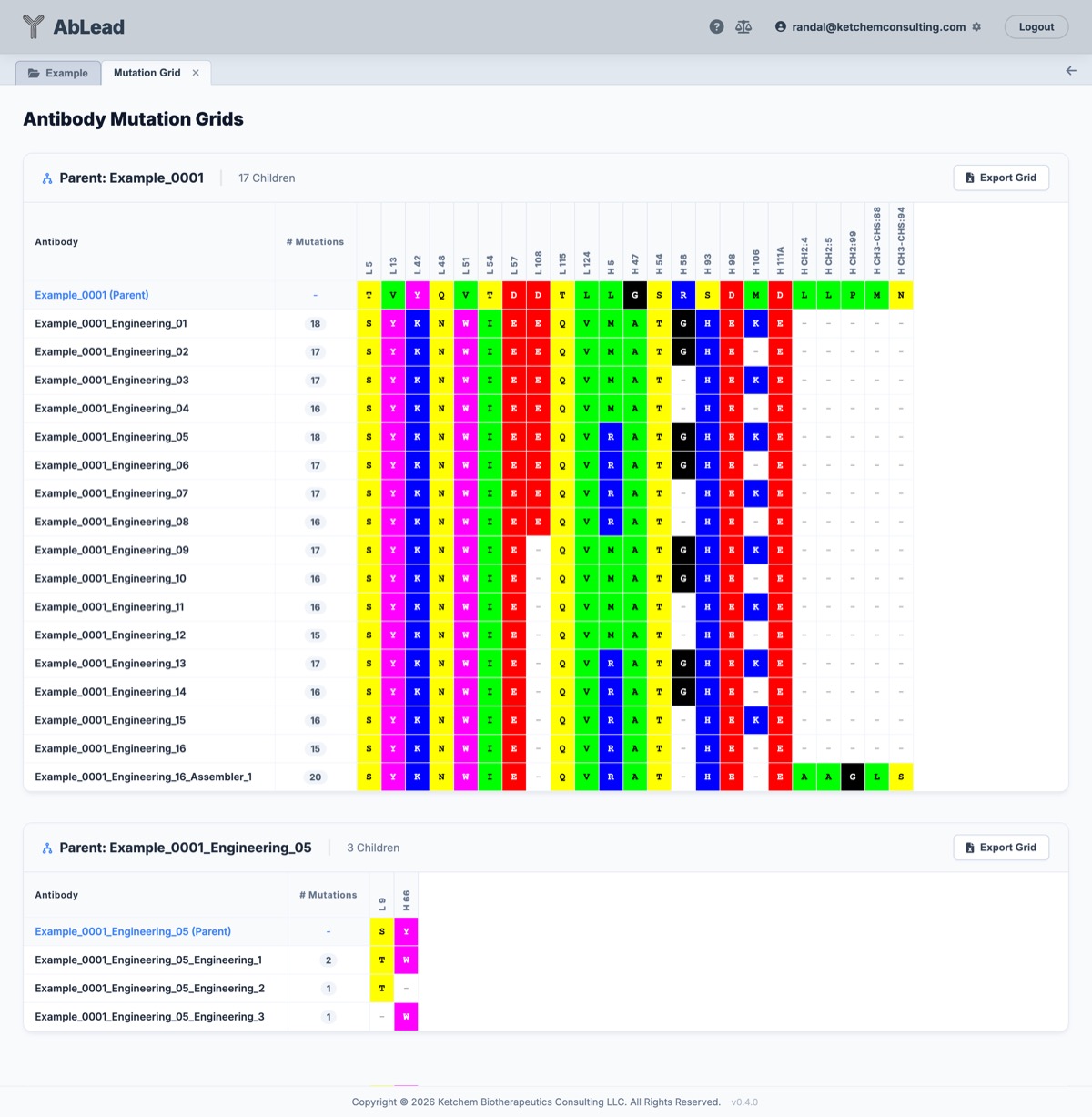
The Mutation Grid view provides a view of the mutations present between a parent entry and its child entries.
This tool is useful for identifying specific mutations made from a parent entry to create the selected children. It can also re-generate the mutations required in the Engineering Tool for the parent entry.
Rather than compare sequences in Alignment and pull out a mutation grid manually, Be Inherently Lazy and let the tool handle it for you. Rather than rebuilding the mutation designs needed to generate the variants, let the tool rebuild the designs for you. Avoid doing manually what a computer can automate.
Accessing the Tool
Select a set of parent and child entries in the Project View. Go to the Analysis menu and select Mutation Grid. This will open the Mutation Grid workspace in a new tab.
Using the Tool
- Grids: Each parent and child set will have its own grid. Grids will only be built for entries that have parent-child relationships.
- Export Grid: Each grid may be individually exported as an Excel file.
- Generate Designs in Engineering: Generates the necessary designs for the parent entry in the Engineering Tool, saved as a set called "Mutation Grid" If that is already a named set in Engineering, a number is appended to the name.
- Fv Only: Toggles between showing heavy and light chain variable domains only, or the full sequence including leader sequences and constant domains.