AbLead

Developability by Design
Antibody sequence and structure analysis to evaluate, rank order, and engineer biotherapeutics.
Identify and engineer stable, manufacturable candidates before you invest in the lab.
Ketchem Biotherapeutics Consulting LLC
Welcome to AbLead
AbLead is a comprehensive platform for antibody analysis, liability assessment, and in-silico engineering. It combines sequence-based metrics with structural modeling to evaluate antibody developability and guide in-silico engineering.
AbLead is built upon a core work principle: "Be Inherently Lazy". This means working very hard to build an easy, reproducible, and error-eliminating method to do work. I encourage you to do the same.
Email ablead@ketchemconsulting.com for assistance.
System Overview
The platform is designed to streamline the workflow from lead panel rank ordering to analysis to optimization engineering of lead candidates. Key capabilities include:
- Rank Order Analysis and Lead Selection: Evaluate antibody sequences across a range of developability attributes to rank order and select lead candidates.
- In-Silico Engineering: Design and evaluate optimization variants and humanizations directly within the application.
- Fv Profiling: Identifies closest germline, nearest neighbor, CDR lengths, stability, surface properties, missing or unusual cysteines, potential post-translational modifications, humanness, and isoelectric point. These are used to generate a score for ranking sequences.
- Visual Analysis: Interactive dashboards for Sequence Alignments, Clading, Liabilities with structure mapping, Positional Frequency and LLM Residue Analysis, and more.
Getting Started
Account Setup & Security
If you are a new user, you will be prompted to set up your account upon your first login.
- Set Password: Choose a strong passphrase.
- Timezone: Select your local timezone to ensure accurate timestamps on all your reports.
- Legal Disclosure: You must acknowledge the usage terms to proceed.
Once your account is set up, you can secure it further by navigating to your Profile:
- Two-Factor Authentication (2FA): Register a Time-based One-Time Password (TOTP) authenticator app (such as Google Authenticator or Authy) to require a 6-digit passcode during login.
- Passkeys (WebAuthn): Register passwordless biometric credentials (such as Touch ID, Face ID, Windows Hello) or physical hardware keys (such as YubiKeys). Once registered, you can log in securely and passwordless by simply typing your email address and clicking Sign in with Passkey.
- Email Notification Preferences: Customize the emails you receive from AbLead by choosing whether to opt in to Product & Feature Updates (announcements of new antibody tools, methods, and release notes) and/or System & Downtime Alerts (scheduled maintenance notices). Critical security and transaction notices (such as password resets, 2FA setup, and passkeys) remain active for all accounts.
- Account Expiration Notices: If your account has an assigned expiration date, your Profile settings page will display the license expiration date (displayed as "Not Set" for non-expiring accounts). A warning banner ("Account Expires: [Date]") will appear in the main header of the application when 30 days or fewer remain. If the account is within 7 days of expiration, you will also see a warning popup modal upon logging in.
- Concurrent Seat Tokens & Access Limits: Accounts belonging to a company operate on a token-based concurrent access model based on the number of purchased seat tokens. If all company seat tokens are in use when you log in, the login page displays a live card with active team members and their exact idle times (e.g. "Active < 1m ago", "Idle 4m ago"). The card polls and updates automatically in real-time, notifying you as soon as a seat becomes available.
Setting up a Passkey (passwordless login):
- Sign in as usual.
- Click the settings in the upper right (your user name with a gear icon).
- Click 'Register a Passkey'
- Enter a nickname for the Passkey to remind you where it is stored and click OK.
- Follow the popup for where to store your passkey. For example, if you have Bitwarden installed and are signed in, with your credentials already stored in an entry, Bitwarden will prompt you to store the passkey in that account entry.
Dashboard Navigation
Once logged in, the Dashboard is your central hub. From here you can:
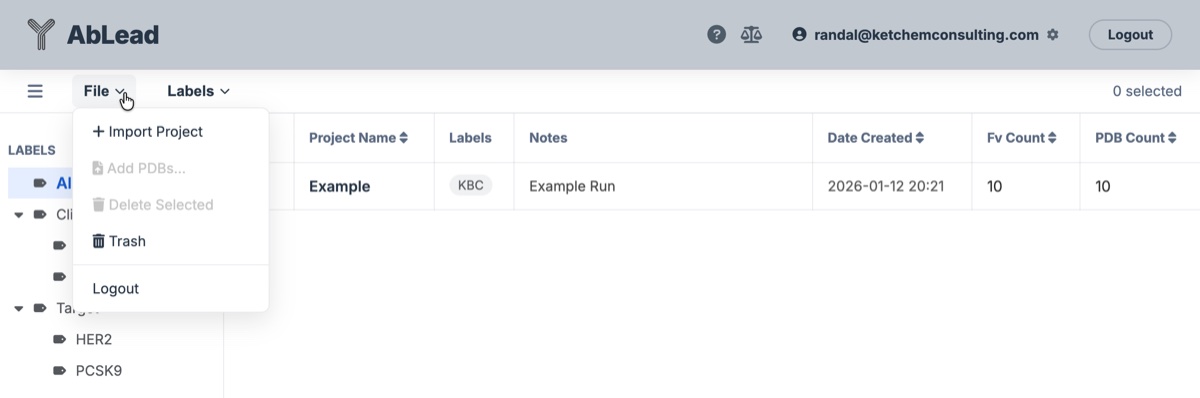
- Import a new project by uploading sequences in FASTA format with paired Fv chains, and optionally uploading associated PDB files.
- View and label your active Projects.
- Share projects with other users within the same organization (same company or email domain) on the system, granting Read-Only or Write access.
- Access your Profile and settings.
- If a Project name is styled in red font, it indicates that at least one of its entries' calculations is outdated based on a change in a method or the introduction of a new method which would change the values in the results grid. To update the calculation(s) and restore the font to standard black, select the entry or entries within the Project and perform an Analysis > Full Re-run Analysis.